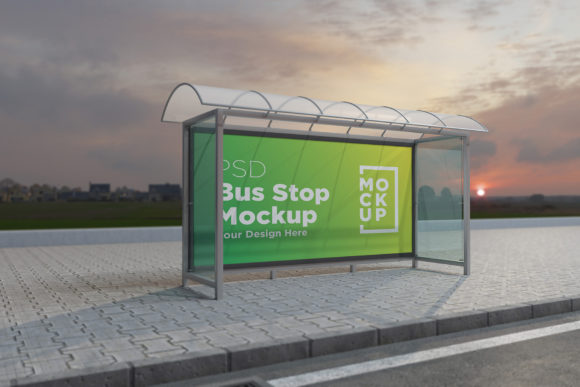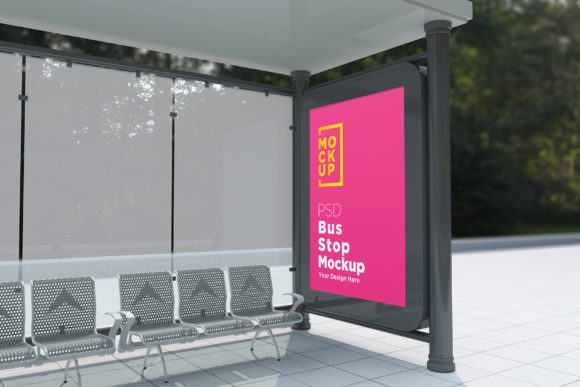
City Bus Stop Billboard Signage Product for Realistic Ad Mockups
For professionals in the design and advertising industries, presenting a project in a realistic context is essential to capturing the attention of clients and stakeholders. The City Bus Stop Billboard Signage Product offers a powerful solution by allowing you to showcase your advertisement poster in a 3D realistic rendering appearance. This tool eliminates the need for on-site photography while ensuring that your designs look as professional and lifelike as possible.
What Is the City Bus Stop Billboard Signage Product?
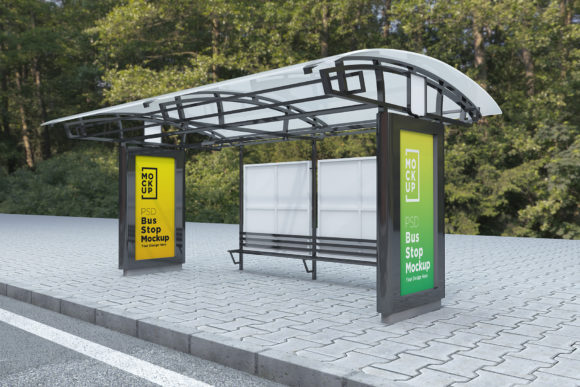
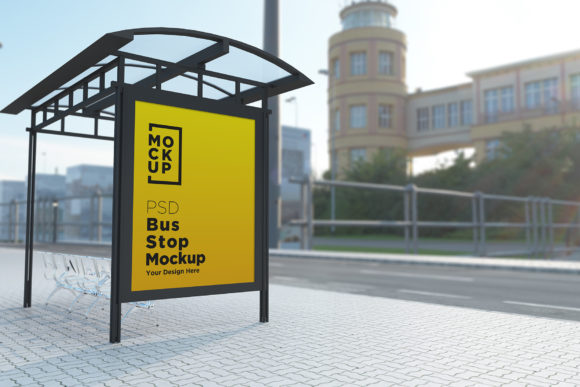
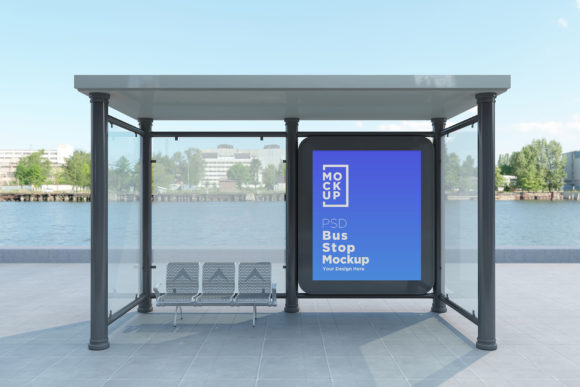
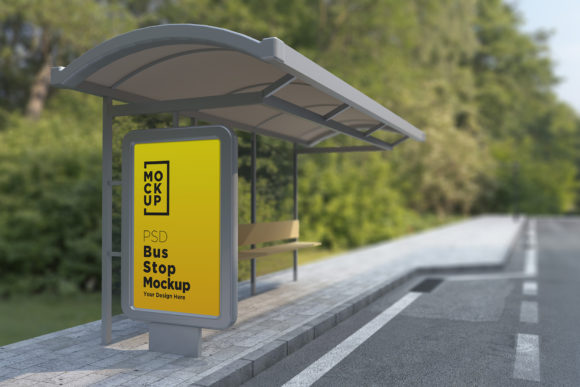
The City Bus Stop Billboard Signage Product is a digital mockup designed specifically for visualizing how an advertisement will appear on a bus stop billboard. It comes in the form of a fully layered PSD file, making it ideal for use in Adobe Photoshop. The mockup uses high-quality V-Ray rendering to simulate real-world lighting and textures, giving your ad a natural, three-dimensional feel. Whether you're working on a local campaign or a large-scale marketing initiative, this product helps you present your work with clarity and impact.
Key Features That Set It Apart
- Top Quality 3D Realistic Rendering: Thanks to V-Ray technology, the mockup delivers unmatched realism, making your ad feel like it's already installed in a public space.
- Fully Layered PSD (CS6+): Designed for advanced users, the mockup provides full access to layers and folders, enabling customization and flexibility.
- Smart Object Integration: Inserting your design into the mockup is straightforward thanks to the Smart Object layer, which preserves quality and allows for easy edits.
- High Resolution (5000 x 3000 pixels): The detailed resolution ensures that every element of your design is clearly visible, even when zoomed in for client reviews.
- Real Backgrounds: The mockup includes authentic city environments such as subways, parks, streets, and bus shelters, offering diverse settings for your ads.
- Organized Layers: With clearly labeled folders and layers, navigating the file is simple, saving you time during the editing process.
- 72 Dpi Image: Optimized for screen presentations and online sharing, this setting makes the mockup suitable for digital pitches and portfolio showcases.
- Included Help File: A user-friendly guide accompanies the mockup, helping you get started quickly and avoid common mistakes.
Why Use a Bus Stop Advertising Billboard Mockup?
Bus stop billboards are one of the most effective forms of outdoor advertising. They capture the attention of pedestrians who are often waiting for public transport, offering a captive audience. However, visualizing how your ad will look in such an environment can be challenging. Using a bus stop advertising billboard mockup gives you the ability to see your design in context before printing or installation. This not only improves accuracy but also enhances your communication with clients and team members.
Imagine you’re designing a promotional banner for a new café. Instead of relying on flat images or vague descriptions, you can use the City Bus Stop Billboard Signage Product to show exactly how the ad will appear on a bus shelter in a bustling urban area. This kind of visual clarity can lead to faster approvals and more confident decisions from your clients.
Who Can Benefit Most from This Tool?
This product is particularly useful for:
- Graphic Designers: Those who frequently create banners and posters for print or digital media can streamline their workflow with this mockup.
- Marketing Professionals: Presenting ad campaigns in a realistic format can help secure buy-ins from management and stakeholders.
- Freelancers and Small Business Owners: Anyone looking to build a strong portfolio or pitch creative ideas without the expense of photo shoots will find this tool invaluable.
- Entrepreneurs Launching New Brands: Seeing how your brand’s message will appear in public spaces can help refine your design before launch.
How to Make the Most Out of the Mockup
One of the standout advantages of the City Bus Stop Billboard Signage Product is its ease of use. Here’s how you can leverage it effectively:
- Open the PSD file: Ensure you're using Photoshop CS6 or later for full compatibility with all features.
- Insert your design: Replace the Smart Object with your own banner or poster. The mockup automatically adjusts to maintain proportions and quality.
- Customize the scene: With organized layers and folders, you can tweak lighting, background elements, or add reflections to match your desired aesthetic.
- Export your final render: Save your work in JPEG format for presentations, or keep the original PSD for future edits.
This step-by-step approach allows even those with intermediate Photoshop skills to produce stunning visuals quickly. For example, a freelance designer might use the subway variation of the mockup to demonstrate how a fashion brand’s latest collection would look in a high-traffic underground station. The result is a presentation that feels immersive and convincing.
Time-Saving Benefits for Creative Projects
Traditional methods of photographing mockups in real-life settings can be time-consuming and costly. You may need to scout locations, hire a photographer, and deal with unpredictable weather or lighting conditions. The City Bus Stop Billboard Signage Product solves these issues by providing pre-rendered environments that are ready to use. This means you can focus more on the creative aspect of your work and less on logistical challenges.
Consider a scenario where a small business owner needs to pitch multiple versions of an advertisement to potential investors. With this mockup, they can easily swap out designs and generate instant visual comparisons—something that would take hours or days if done manually. The ability to iterate quickly and efficiently is a major advantage in today’s fast-paced market.
Enhancing Creativity and Communication
Designing for billboards isn't just about aesthetics—it's also about understanding how viewers interact with the space. The City Bus Stop Billboard Signage Product supports creativity by letting you experiment with different environments. You can test how your design looks in a quiet park versus a busy street corner, adjusting colors, contrast, and visibility based on the location.
Moreover, the realistic nature of the mockup strengthens communication between designers and clients. When you can show your work in a context that closely resembles the actual placement, it becomes easier for non-designers to visualize the end result. This can reduce misunderstandings and revisions, ultimately leading to better outcomes for both parties.
Use Cases Across Different Industries
While the primary purpose of the City Bus Stop Billboard Signage Product is for advertising, its versatility makes it applicable across various fields:
- Education: Teachers and students can use the mockup to understand real-world applications of design principles in public spaces.
- Event Promotion: Event planners can preview how posters will appear at different locations, helping them choose the best spots for maximum exposure.
- Urban Planning: Designers involved in city infrastructure projects can use the mockup to visualize proposed changes to public signage systems.
- Non-Profit Campaigns: Organizations can create compelling visual proposals for community-based advertisements without the cost of physical production.
These examples highlight how the product is more than just a design tool—it's a strategic asset for anyone who needs to communicate visually in a public context.
When to Consider Alternatives
While the City Bus Stop Billboard Signage Product is highly effective for many scenarios, there are cases where alternative solutions might be more appropriate. If your target location has unique architectural features or environmental conditions not included in the provided scenes, you may want to consider hiring a photographer or using custom 3D modeling software. In such instances, comparing options can ensure your mockup aligns perfectly with the intended real-world application.
Additionally, if your workflow involves other Adobe products like Illustrator or InDesign, you should verify compatibility with Photoshop smart objects. While the mockup is optimized for Photoshop, some adjustments may be necessary if you're importing vector graphics or complex compositions.
Getting Support When Needed
Even though the help file included with the City Bus Stop Billboard Signage Product covers most usage scenarios, there may be times when you need further assistance. The creator offers direct support through their profile page or email, which is especially helpful for first-time users or those encountering technical difficulties. This level of support adds value by reducing frustration and ensuring that the mockup meets your expectations.
If you're unsure how to customize a specific layer or achieve a particular effect, reaching out for guidance can make the difference between a good mockup and a great one. It's always wise to take advantage of available resources to maximize the tool’s potential.
Final Thoughts on the Value of Realistic Mockups
Presenting an idea in a realistic setting is more persuasive than showing it in isolation. The City Bus Stop Billboard Signage Product bridges the gap between concept and execution by offering a practical way to visualize your work in real-world environments. Its blend of quality, usability, and variety makes it a must-have for any designer or marketer working with billboards or public signage.
Whether you're refining your own creative output or trying to impress a client with a polished proposal, this mockup simplifies the process while maintaining professionalism. By leveraging the power of 3D rendering and smart object layers, you can elevate your presentations and streamline your workflow—all without stepping outside your office.
Ready to give your designs the edge they need? Try the City Bus Stop Billboard Signage Product and experience the benefits of realistic, customizable mockups firsthand.