Logo Mockup for a Black Façade Building: A Modern Design Tool for Realistic Presentation
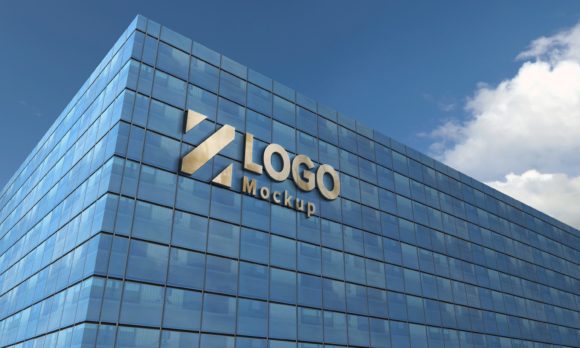
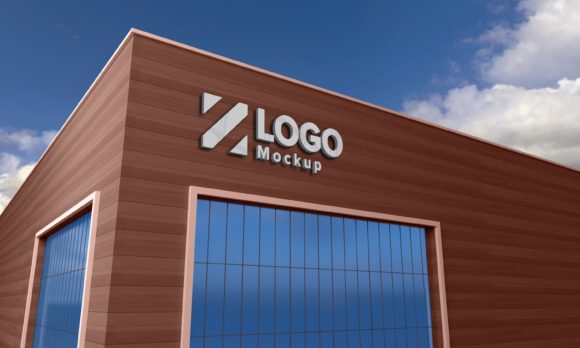
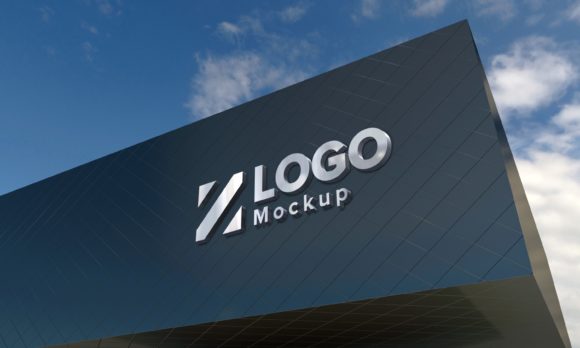
In the world of graphic design and branding, presenting your logo in an attractive and realistic manner is essential. One popular method to achieve this is through a logo mockup for a black façade building. These mockups allow designers to showcase their logos on modern structures with sleek, contemporary aesthetics, giving clients or stakeholders a clear vision of how the brand will appear in real-world applications.
What Is a Logo Mockup?
A logo mockup is a digital template that allows you to place your logo onto a pre-designed background or object. It's used to visualize how a logo will look when applied to different surfaces or environments. In the context of architecture and urban branding, placing a logo on a black façade building helps demonstrate its visibility and style against a minimalist backdrop.
These mockups are especially useful for businesses and designers who want to present their logo designs in a professional setting before finalizing them. They provide a realistic view without the need for physical prototypes, saving both time and resources.
Why Use a Black Façade Building Mockup?
- High Contrast: A black façade provides excellent contrast for most logos, making them stand out more effectively.
- Modern Aesthetic: Black is often associated with sophistication, elegance, and minimalism, which aligns well with modern architectural styles.
- Professional Presentation: When pitching to clients, having a logo displayed on a high-quality building mockup adds credibility and professionalism to your proposal.
Understanding the Features of a 3D Logo Mockup
The Logo Mockup Sign Black Façade Building is designed to give users a top-notch visual experience. Here are some of the key features that make it a valuable tool for any designer:
Top Quality 3D Realistic V-Ray Rendered
This mockup uses V-Ray rendering technology, known for producing highly realistic images. The result is a detailed and lifelike representation of your logo on a modern building, complete with lighting effects, shadows, and textures that mimic real-world conditions.
Fully Layered PSD (Minimum CS6)
The mockup comes in a fully layered Photoshop Document (PSD) format, compatible with Adobe Photoshop CS6 and above. This means every element is editable, from colors to positions, giving you full creative control over your presentation.
Smart Object Layer Integration
One of the standout features is the use of Smart Objects. This allows you to easily replace the placeholder logo with your own design by simply double-clicking the layer and inserting your artwork. No advanced editing skills are required—just a few clicks can transform the mockup into your personalized version.
Resolution and Image Quality
The mockup is rendered at a resolution of 5000 x 3000 pixels and set to 72 Dpi, ensuring clarity and sharpness suitable for both digital and print presentations. Whether you're showing off your work on a website or preparing a high-resolution portfolio, this file size and quality are ideal.
Realistic Background and Organized Layers
Each mockup includes a realistic background that complements the black façade, enhancing the overall visual appeal. Additionally, the layers and folders are clearly named and organized, making navigation and customization straightforward even for beginners.
Help File Included
To ensure a smooth user experience, a help file is included with instructions on how to use the mockup effectively. If you have any questions or need further assistance, you can reach out via the designer’s profile page or email for support.
Exploring Different Logo Effects
One of the greatest advantages of using a 3D sign black façade building logo mockup is the variety of effects you can apply. These include but are not limited to:
- 3D Effect: Gives your logo depth and dimension, as if it were physically attached to the building.
- Embossed Style: Adds a raised texture to the logo, mimicking a printed or engraved surface.
- Silver and Gold Finishes: Ideal for luxury brands or high-end services, these metallic effects enhance the perceived value of the logo.
Such effects enable you to experiment with different looks and feel confident about which one best represents your brand identity.
Various Perspectives for Maximum Impact
Many logo mockups offer multiple perspectives to display your logo from different angles. For example, you might see it from a street-level viewpoint, a drone-like aerial perspective, or a close-up shot highlighting intricate details. This flexibility helps in showcasing your logo in various scenarios, such as billboards, storefronts, or city skyline views.
How to Use the Mockup
Using a logo mockup like the Logo Mockup 3D Sign Black Façade Building is simple and intuitive. Here's a quick breakdown of the process:
- Open the PSD file in Adobe Photoshop.
- Locate the Smart Object layer where the placeholder logo is embedded.
- Double-click the Smart Object to open it and replace the existing image with your logo.
- Save the file and export it as JPEG for sharing or printing.
Thanks to the smart object functionality, the resizing and alignment are handled automatically, preserving the quality of your design. This makes the mockup particularly beginner-friendly while still being powerful enough for experienced designers.
Additional Files Included
The package typically includes three main files:
- 1 PSD file: Fully editable with all layers intact.
- 1 JPEG file: A ready-to-use, flattened version of the mockup.
- 1 Help file: Provides step-by-step guidance for customizing the mockup.
Having access to all these files ensures that you can use the mockup in different ways—whether you're presenting a concept to a client or preparing marketing materials for a project.
Practical Applications of the Mockup
Logo mockups aren’t just for show—they serve several practical purposes across industries. Here are a few common use cases:
Branding and Marketing
For businesses launching a new brand or rebranding, displaying the logo on a modern black façade helps convey a sense of professionalism and contemporary appeal. It can be used in promotional materials, websites, or social media campaigns to grab attention and communicate brand values effectively.
Architectural Visualization
Architects and developers use these mockups during planning phases to simulate how a building’s signage will look once completed. This helps in decision-making regarding placement, color schemes, and font choices before construction begins.
Design Education and Inspiration
Students and educators in design courses often use mockups to study typography, composition, and spatial relationships. The black façade provides a neutral yet striking canvas that highlights the importance of contrast and readability in logo design.
Creative Projects and Freelance Work
Freelancers and small studios benefit from using mockups to impress potential clients. High-quality visuals can elevate the perception of your work and increase the chances of approval and commission.
Common Misconceptions About Logo Mockups
Despite their popularity, there are some misconceptions about logo mockups that need clarification:
- Misconception: "Mockups are only for experts." Reality: With Smart Object integration, anyone can customize a mockup regardless of skill level.
- Misconception: "They’re too expensive or complicated." Reality: Many affordable and easy-to-use options exist, including the Logo Mockup Sign Black Façade Building.
- Misconception: "Mockups don’t reflect real-life application." Reality: High-quality V-Ray renders ensure that the final output closely resembles what could be achieved in real life.
Why Choose a 3D Mockup Over Traditional Ones?
Traditional logo mockups often feature flat backgrounds or basic templates. However, 3D mockups take the experience to another level by providing depth, realism, and dynamic lighting. This is especially important when showcasing logos on complex objects like buildings, where perspective and shadow play a big role in how the design is perceived.
With a 3D sign black façade building logo mockup, you can adjust the lighting, camera angle, and even material finishes to create the perfect visual. This adaptability makes it a preferred choice among professionals looking to deliver polished presentations.
Conclusion
Whether you're a designer, marketer, architect, or student, the Logo Mockup Sign Black Façade Building offers a versatile and visually compelling way to present your logo. Its high-quality rendering, ease of customization, and inclusion of helpful resources make it a valuable addition to any creative toolkit. By leveraging the realistic effects and various perspectives, you can bring your logo to life and make a lasting impression on your audience.
So next time you're looking to showcase your design in a modern and impactful way, consider using a 3D sign black façade building logo mockup. It's a powerful solution that blends creativity with technology to deliver stunning results.