Bus Stop Shelter with Two Signage Mockup for Realistic Ad Presentations
When it comes to showcasing your advertisement designs, the right visual context can make all the difference. The Bus Stop Shelter with Two Signage Mockup offers a compelling solution for designers and marketers who want to present their work in a lifelike setting without the hassle of real-world photography. This mockup is not just another template; it’s a fully layered PSD file that enables you to integrate your banner or poster into a 3D-rendered bus shelter environment. With features like V-Ray rendering, smart object compatibility, and high-resolution output, this tool is designed to help you visualize how your ad will look when placed in public spaces such as subways, parks, streets, and more.
What Makes This Mockup Unique?
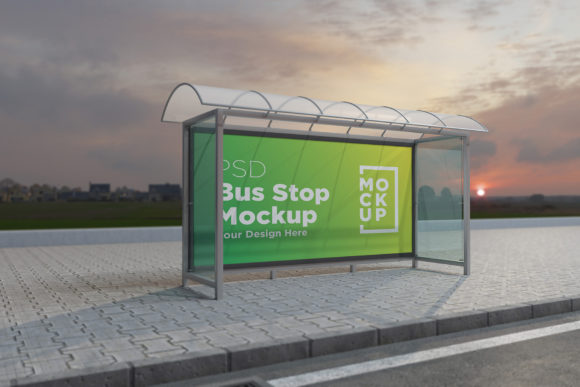
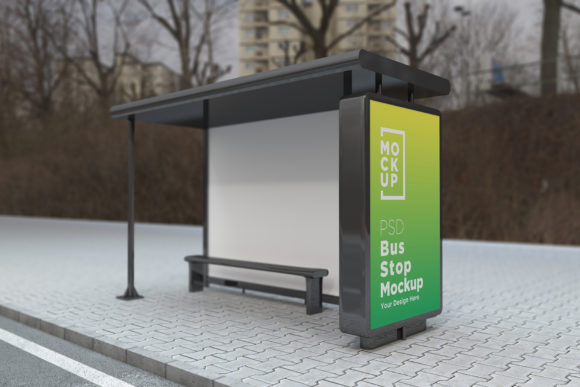
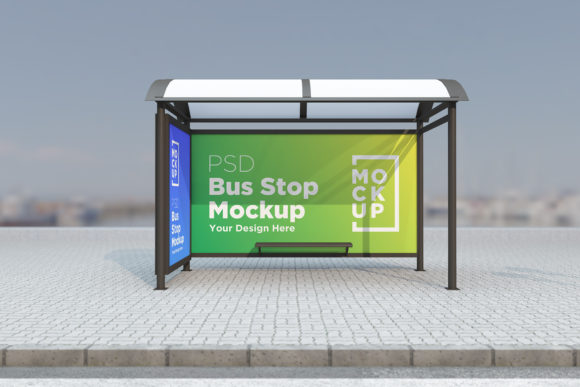
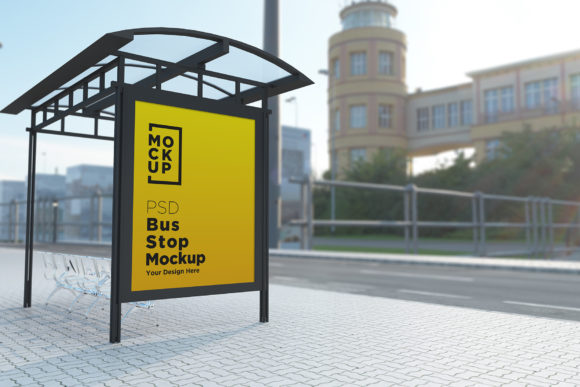
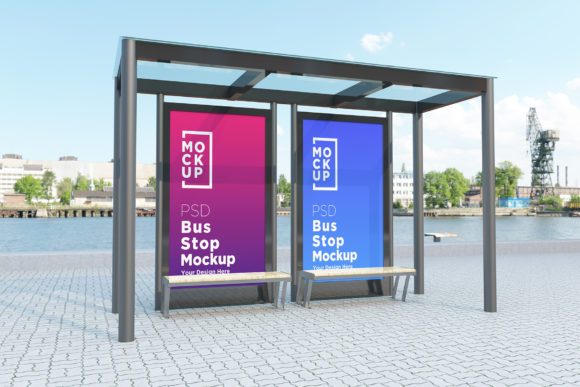
The Bus Stop Shelter with Two Signage Mockup stands out because of its attention to detail and realism. Unlike flat or generic stock images, this design has been crafted using advanced 3D modeling techniques to replicate the texture, lighting, and spatial depth of an actual bus stop. The two signage placements allow you to show different versions of your ad side by side—ideal for A/B testing or demonstrating variations during client presentations.
One of the most valuable aspects of this mockup is its flexibility. You can easily replace the existing ads with your own graphics using smart object layers, which means no need for advanced Photoshop skills. The organized layer structure and clearly labeled folders also make it simple to navigate and modify elements, ensuring that even complex changes are manageable within minutes.
Practical Benefits for Designers and Marketers
For professionals working in marketing, graphic design, or advertising, time is often a critical factor. Using this mockup eliminates the need to visit multiple locations to photograph your designs in situ. Instead, you can instantly place your visuals on digital billboards and shelters, making it easier to pitch ideas or get feedback from stakeholders. This efficiency helps streamline the creative process and accelerates decision-making.
Another benefit lies in the ability to simulate different environments. Whether you're targeting urban commuters at a busy street corner or suburban riders waiting in a park, this mockup gives you the power to adjust settings and lighting conditions to match your intended audience's experience. It’s especially useful for brands looking to test the visibility and impact of their posters under various weather and time-of-day scenarios.
Who Can Benefit Most?
This mockup is ideal for a wide range of users. Freelance designers will appreciate the high-quality assets that elevate their portfolio pieces. Small business owners launching local campaigns can use it to show potential clients how their message will appear in everyday settings. Marketing agencies can leverage it during brainstorming sessions to quickly prototype ideas and gauge reactions before finalizing production plans.
Bloggers and content creators who focus on design trends or advertising strategies may find this resource invaluable for illustrating concepts in tutorials or case studies. Educators teaching graphic design or marketing courses can also use it as a hands-on example to demonstrate how digital tools bring abstract ideas to life in practical contexts.
Real-World Use Cases
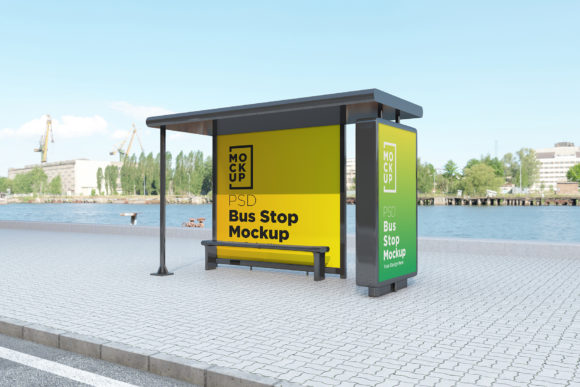
Imagine you’re designing a new transit ad for a coffee chain. Instead of relying on static mockups or vague descriptions, you can use the Bus Stop Shelter with Two Signage Mockup to show exactly how the brand logo and tagline will appear on a real-life shelter. Clients can see the full effect—how the colors stand out against the background, how the text is positioned for optimal readability, and how shadows and reflections enhance realism.
Or consider a scenario where you’re planning a campaign across several cities. Each location might have unique lighting conditions or architectural styles. This mockup allows you to adapt your design to fit these nuances digitally, helping you prepare for different deployments without the logistical challenges of on-site shoots.
Key Features That Enhance Your Workflow
- V-Ray Rendering: Ensures top-notch quality with realistic textures and lighting effects.
- Fully Layered PSD File: Compatible with Adobe Photoshop CS6 and above, allowing deep customization.
- Smart Object Layers: Simplifies the process of inserting and adjusting your design within the scene.
- 5000 x 3000 Pixel Resolution: Provides sharp, detailed visuals suitable for both print and digital display.
- Organized Structure: Clear folder names and grouped layers make navigation intuitive and efficient.
- Help File Included: Offers step-by-step guidance for first-time users or those unfamiliar with mockup workflows.
These features combine to create a powerful yet user-friendly tool that supports both speed and precision in your design workflow. The result? More professional-looking presentations and better-informed decisions from your team or clients.
Why Go Beyond Stock Images?
Stock photos often lack the specificity needed to accurately represent your brand in real-world settings. They may not reflect the exact dimensions, angles, or environmental factors that influence how your ad will be perceived. The Bus Stop Shelter with Two Signage Mockup solves this by offering a customizable 3D model that mirrors actual bus stops, giving you control over every aspect of the scene—from the sky color to the placement of nearby trees or benches.
Moreover, using a consistent mockup style across multiple projects helps maintain a cohesive look in your proposals and portfolios. This consistency builds trust with clients and reinforces your professionalism as a designer or marketer.
Limitations and Considerations
While the Bus Stop Shelter with Two Signage Mockup is highly versatile, it’s important to note that it’s a single environment. If your project requires showing ads in diverse settings like airports, train stations, or shopping malls, you may need to invest in additional mockups. However, the included variety of subway, park, and street options makes it a strong contender for many common advertising needs.
Also, while the file is optimized for clarity and ease of use, some users might prefer higher Dpi settings for print purposes. This mockup is set at 72 Dpi, which is standard for web use but may require adjustments if you plan to produce physical banners or posters.
How to Get the Most Out of This Resource
To begin using the Bus Stop Shelter with Two Signage Mockup, simply open the PSD file in Photoshop and double-click the smart object layer corresponding to the signage area. Replace the placeholder image with your design and save the file. The realistic background and lighting will automatically blend with your content, creating a natural and immersive preview.
If you’re new to mockups or need further assistance, the included help file provides clear instructions and tips. For any specific questions or custom requests, reach out via the profile page or email. Support is always available to ensure you get the best results possible from this design asset.
Final Thoughts
In today’s fast-paced digital landscape, having the right tools can significantly impact your success. The Bus Stop Shelter with Two Signage Mockup isn’t just about saving time—it’s about enhancing the quality of your work and delivering more convincing, realistic presentations. Whether you're refining a concept for a client or preparing a proposal for a new project, this mockup brings your vision closer to reality in a way that’s both efficient and visually engaging.
By integrating your designs into a lifelike environment, you gain the ability to showcase your creativity with confidence. It’s a small investment that can yield big returns in terms of client satisfaction, project clarity, and overall design excellence.