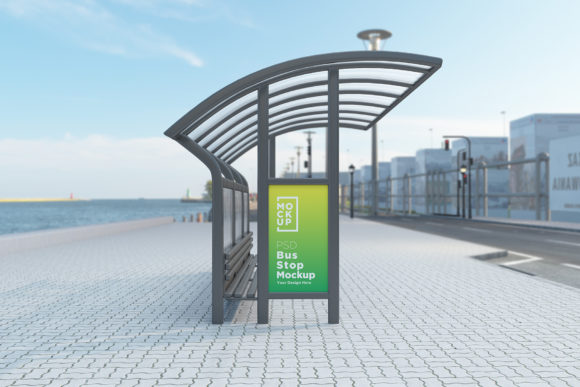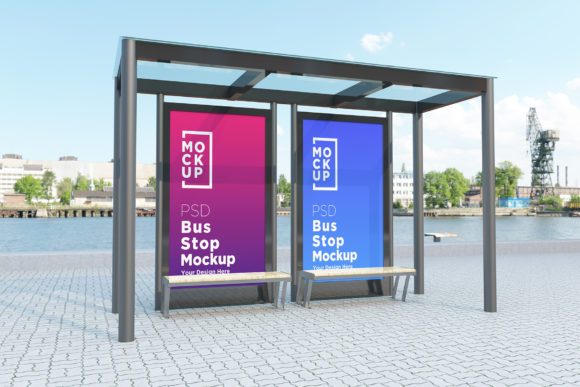
Bus Stop with Two Signage Product Mockup: A Practical Tool for Advertising Designers
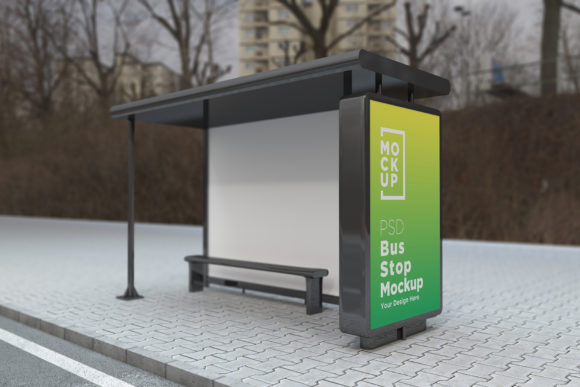
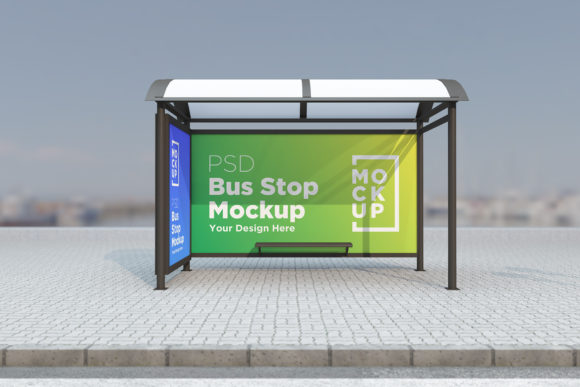
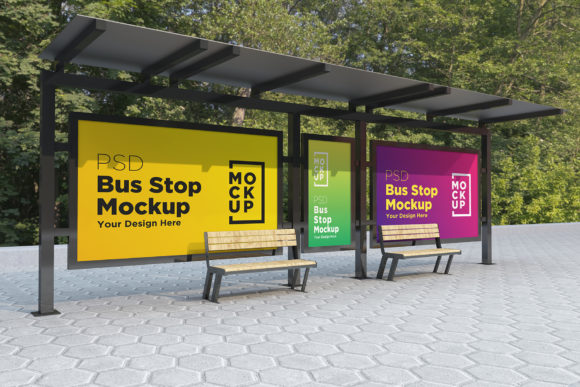
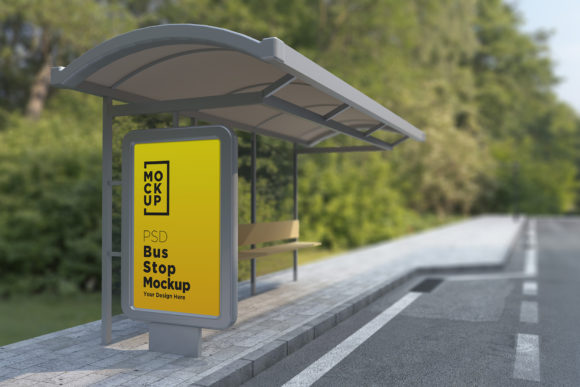
For advertising designers and marketing professionals, visualizing how a poster or banner will appear in real-world environments is essential. The Bus Stop with Two Signage Product Mockup offers a realistic and efficient way to present designs without the need for physical photoshoots. This fully layered PSD file provides a 3D rendered view of a bus stop setting complete with two signage areas, allowing users to showcase their creative work in a professional and lifelike manner.
What Is the Bus Stop with Two Signage Product Mockup?
The Bus Stop with Two Signage Product Mockup is a digital template created using high-quality 3D rendering techniques. It replicates the look and feel of an actual bus stop, including its surroundings and lighting conditions, to give your advertisement poster a realistic context. The mockup is designed to be used within Adobe Photoshop, making it ideal for graphic designers who require flexibility and precision in their presentations.
This product includes one Photoshop Document (PSD) file, one JPEG version of the final render, and a detailed help file to guide users through the setup process. The design is compatible with Photoshop CS6 and later versions, and it works via smart object layers—meaning you can easily replace the placeholder images with your own without affecting the quality of the overall composition.
Why Use This Mockup?
There are several reasons why this mockup may appeal to designers and businesses:
- Time Efficiency: Instead of organizing a photoshoot at a real bus stop, which can be time-consuming and costly, this mockup allows you to simulate the environment quickly and accurately.
- Professional Presentation: Clients often appreciate seeing how their advertisements will look in real-life scenarios. This mockup helps you deliver polished visuals that reflect real-world placement possibilities.
- High-Quality Output: Rendered with V-Ray for a photorealistic appearance, the mockup ensures that your design looks as close to reality as possible, even when viewed in detail.
- Customization: With organized layers and folders, you can tweak elements such as lighting, shadows, or background features to match your specific project requirements.
Key Benefits and Features
One of the standout advantages of the Bus Stop with Two Signage Product Mockup is its resolution—5000 x 3000 pixels—which ensures sharp and clear visuals suitable for both digital and print use. The 72 Dpi format makes it appropriate for online presentations, while the layered structure gives you control over every element of the scene.
Another benefit is the inclusion of a help file. For those less familiar with working with complex PSD files, this guide can streamline the process and reduce the learning curve. Additionally, the mockup supports multiple types of environments, such as subways, parks, streets, and bus shelters, expanding its versatility beyond just bus stops.
Considerations Before Purchasing
While the Bus Stop with Two Signage Product Mockup is a valuable tool, there are some considerations to keep in mind before deciding if it’s right for you:
- Software Requirements: You’ll need Adobe Photoshop CS6 or higher to open and edit the PSD file. If you’re not already using Photoshop, this could add an extra cost or requirement.
- Design Skill Level: Although the help file simplifies the process, having some familiarity with Photoshop’s smart objects and layer management will make the most of this resource.
- Intended Use: This mockup is best suited for digital previews and client presentations rather than large-scale printing. While the image quality is high, it’s optimized for screen-based applications.
Situations Where This Mockup Excels
This mockup is particularly useful in the following scenarios:
- When presenting transit-based advertisements to clients or stakeholders.
- If you're designing for public spaces and want to show how your banner would integrate into a typical urban setting.
- For agencies or freelancers who frequently create outdoor ads but lack access to real-world photo locations.
- To test color schemes, contrast levels, and text readability under simulated daylight or city lighting conditions.
In these cases, the ability to place your design on two different signs within the same mockup adds significant value. It allows for side-by-side comparisons or dual-message displays, which can be especially helpful in demonstrating variations or multi-panel ad setups.
When to Consider Alternatives
Despite its many benefits, there are situations where alternative tools might be more appropriate:
- If your primary need is for high-resolution print materials, you may still require actual photographs to ensure the texture and scale align with physical installations.
- For projects involving very large billboards or unconventional placements, a generic billboard mockup or a custom 3D model might offer better adaptability.
- If budget constraints limit software access, exploring free or web-based mockup generators could be a more viable option.
Additionally, while the mockup simulates real-world lighting and textures, it cannot account for all environmental variables—such as weather effects or seasonal changes—that might influence how an ad appears in reality. In such cases, consulting with local transit authorities or using real location data could provide more accurate results.
How to Get Started with the Mockup
Using the Bus Stop with Two Signage Product Mockup is straightforward thanks to its smart object functionality. Here’s a brief overview of the steps involved:
- Open the PSD file in Photoshop.
- Locate the smart object layers designated for your advertisement content.
- Double-click the smart object to replace the placeholder image with your own design.
- Adjust colors, shadows, or other elements if needed, using the organized folder structure for ease of navigation.
- Export the final image in JPEG format for sharing with clients or using in proposals.
With the help file included, you can resolve any issues or learn advanced tips to enhance your presentation. If further assistance is required, the creator offers support through their profile page or email, ensuring a smooth user experience.
Evaluation and Decision-Making Insights
Before committing to the Bus Stop with Two Signage Product Mockup, consider the following questions:
- Do I primarily need digital mockups for client approval rather than physical prototypes?
- Am I looking for a quick and realistic way to visualize my ads in public transportation settings?
- Can I take advantage of the layered structure to adjust lighting or background details?
- Is Photoshop already part of my workflow, or am I willing to invest in it?
Answering these questions can help clarify whether this mockup fits your needs. It's especially beneficial for those who work in fast-paced environments where rapid prototyping and visual clarity are critical. On the other hand, if you require absolute realism or have unique installation specifications, additional research or custom solutions may be necessary.
Final Thoughts
The Bus Stop with Two Signage Product Mockup is a powerful asset for designers aiming to present their work in a realistic and professional light. Its combination of high-quality rendering, smart object compatibility, and versatile use across various environments makes it a practical choice for many advertising and marketing tasks. However, like any design tool, it has limitations based on your specific goals and resources.
If you’re seeking an effective, easy-to-use solution for showcasing your designs in a transit-like setting, this mockup is worth considering. But always weigh the tradeoffs against your project requirements and technical capabilities to make an informed decision.