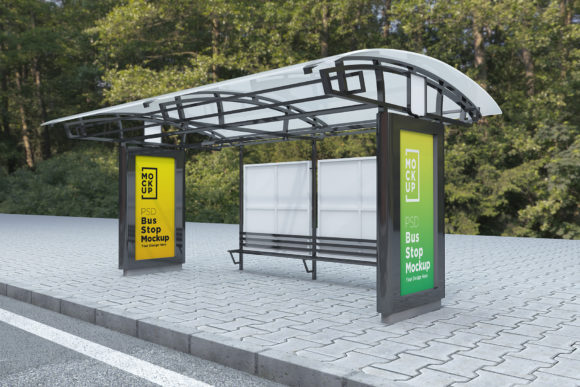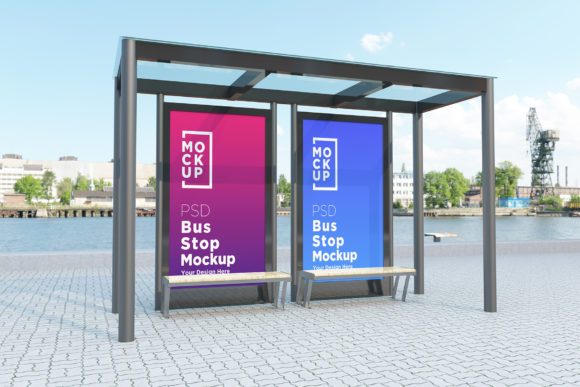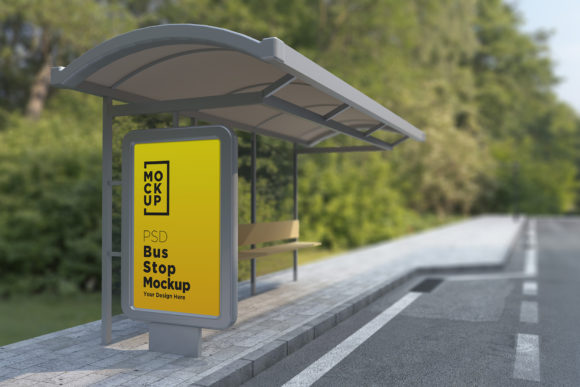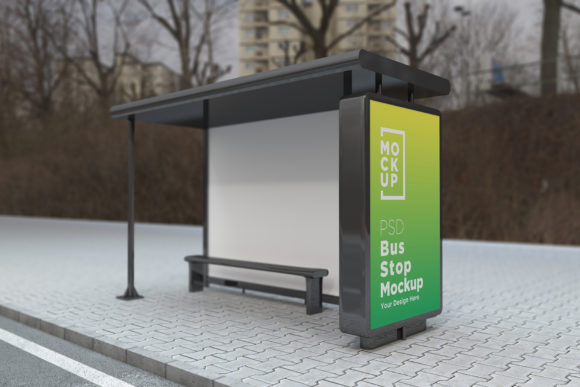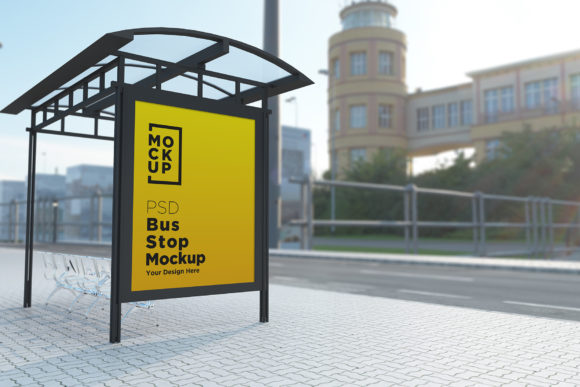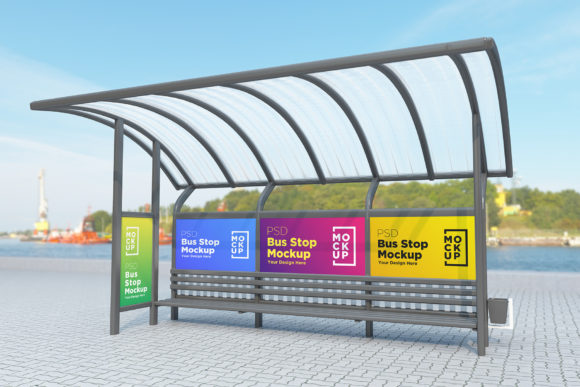
Bus Stop with Four Sign Product Mockup
Creating visually compelling advertisements is essential for grabbing attention in today’s fast-paced digital world. Whether you're designing for a client, your own business, or showcasing your creative work, the right tools can make all the difference. The Bus Stop with Four Sign Product Mockup is a powerful resource that allows designers to present their work in a realistic and professional manner—without the hassle of on-site photography.
Elevate Your Design Presentations
The Bus Stop with Four Sign Product Mockup is a fully layered PSD file designed specifically for advertising posters. It enables you to place your design in a lifelike bus stop environment complete with signage, shelters, and ambient details. This mockup is ideal for anyone looking to showcase banners, flyers, or posters in real-world settings like subways, parks, streets, or public transport stops.
What makes this mockup stand out is its ability to give your designs a 3D realistic look instantly. With V-Ray rendering technology, it captures textures, lighting, and depth just as they would appear in physical environments. This realism helps clients or stakeholders visualize how your advertisement will perform in actual spaces, making your pitch more convincing and impactful.
Key Features That Make It Stand Out
- Top Quality 3D Realistic Rendering: Thanks to V-Ray rendering, every element—from the metal poles to the glass panels—is rich in detail and texture.
- Smart Object Layers: Easily replace the placeholder images with your own designs using smart object layers, ensuring flexibility without compromising quality.
- Fully Layered and Organized: The PSD is structured with clearly named folders and layers, making customization straightforward even for less experienced users.
- High Resolution: At 5000 x 3000 pixels and 72 DPI, the mockup supports sharp, clear visuals suitable for both digital and print presentations.
- Help File Included: A detailed help file guides you through the setup and use of the mockup, reducing learning time and improving usability.
Why Use This Mockup?
One of the biggest challenges in advertising design is conveying how a piece will look when placed in the real world. Traditional methods often require expensive photo shoots or rely on generic stock images that lack authenticity. The Bus Stop with Four Sign Product Mockup solves these issues by providing a ready-made, photorealistic scene that you can customize with ease.
For professionals in marketing or graphic design, this tool streamlines the presentation process. You can quickly show your concept in context, which is especially useful during client reviews or project proposals. Its versatility also makes it suitable for educators teaching visual communication, as well as hobbyists exploring the world of digital design.
Practical Applications Across Industries
This mockup isn’t limited to one type of designer or industry. Here are some real-world scenarios where it shines:
Marketing & Advertising Agencies
Agencies can use the Bus Stop with Four Sign Product Mockup to demonstrate outdoor ad campaigns for public transport. It's perfect for showing how a brand might be perceived by commuters or pedestrians. For example, if you’re pitching a campaign for a local coffee shop, placing the poster in a morning rush-hour bus shelter can help communicate the intended audience and timing effectively.
Freelancers & Entrepreneurs
Freelance designers benefit from this mockup by offering clients a tangible preview of their work. Entrepreneurs who run small businesses can use it to test different branding strategies before investing in large-scale prints. Imagine trying out various color schemes or taglines in a virtual bus stop setting to see what resonates best before printing hundreds of copies.
Bloggers & Content Creators
If you're a blogger sharing design tips or a content creator demonstrating Adobe Photoshop techniques, this mockup serves as an excellent example. You can walk viewers through the process of adding their own artwork to the template, helping them understand how to leverage similar resources in their projects.
Event Promoters & Local Businesses
Event promoters can create engaging visuals for upcoming festivals or concerts, simulating how posters will look at street corners or transit hubs. Local businesses, such as restaurants or retail stores, can experiment with eye-catching promotions and evaluate their effectiveness in high-traffic areas—all from the comfort of their workspace.
Usability and Efficiency Made Simple
Adobe Photoshop is a widely used tool among designers, but not everyone has the time or skill to build complex 3D environments from scratch. This mockup simplifies the workflow by allowing users to drop their designs into pre-built scenes. The smart object functionality means you don't need advanced Photoshop skills to make changes; simply double-click the layer and insert your artwork.
With a resolution of 5000 x 3000 pixels, the mockup ensures that your designs remain crisp and detailed regardless of the display size. The realistic background adds depth and context, helping your audience understand the placement and visibility of your ad. Plus, the help file included in the pack provides step-by-step instructions, so you can get started within minutes—even if you're new to using mockups in Photoshop.
Enhancing Branding and Engagement
Visual consistency is key to building a strong brand identity. By using the Bus Stop with Four Sign Product Mockup, you can maintain a uniform style across all promotional materials. Whether it's a new logo or a seasonal sale banner, seeing it in a simulated real-world setting gives you confidence in its effectiveness.
Moreover, this mockup helps in understanding how your ad will interact with its surroundings. Will the colors pop against the backdrop? Is the message legible from a distance? These questions become easier to answer when you can test your design in a realistic environment. As a result, your final output is more likely to engage the target audience and drive conversions.
Real-World Examples
Let’s say you're designing a travel poster for a city tour company. Using the Bus Stop with Four Sign Product Mockup, you can simulate how the poster would look on a busy downtown bus shelter. This visualization helps in assessing whether the imagery and text are aligned with the urban setting and whether they’ll attract the attention of potential travelers passing by.
Another example could be a food truck promoting its menu. By placing the ad in a park-side bus stop scenario, you can check if the layout works under varying lighting conditions and if the food images are appetizing enough to draw hungry customers.
Choosing the Right Mockup for Your Needs
When selecting a mockup for your design, consider factors like realism, ease of use, and adaptability. The Bus Stop with Four Sign Product Mockup checks all these boxes, but there are a few things to keep in mind:
- Layer Compatibility: Ensure your version of Photoshop is at least CS6, as the mockup requires this minimum specification to function correctly.
- Scene Relevance: While the mockup is versatile, it's tailored for bus stop and related environments. If your campaign targets other locations like airports or train stations, you may need additional templates.
- Design Readability: Test your artwork in the mockup to confirm that it remains legible and effective when viewed in a simulated real-world context.
Getting Started and Support
To begin using the Bus Stop with Four Sign Product Mockup, open the provided PSD file in Photoshop and replace the smart object layers with your own designs. The mockup includes both a JPEG version for quick previews and the editable PSD for customizations.
Should you encounter any difficulties or have specific questions about the mockup, support is readily available. You can reach out via the profile page or email for assistance. The creator is known for being responsive and helpful, ensuring you can maximize the value of this tool without unnecessary delays.
Final Thoughts
Incorporating the Bus Stop with Four Sign Product Mockup into your design toolkit can significantly enhance the way you present your work. It offers a realistic, efficient, and cost-effective solution for visualizing advertisements in public spaces. Whether you're working on a personal project, a freelance assignment, or a corporate campaign, this mockup brings your ideas to life with minimal effort and maximum impact.